
html + css + JavaScript 动态气泡源码
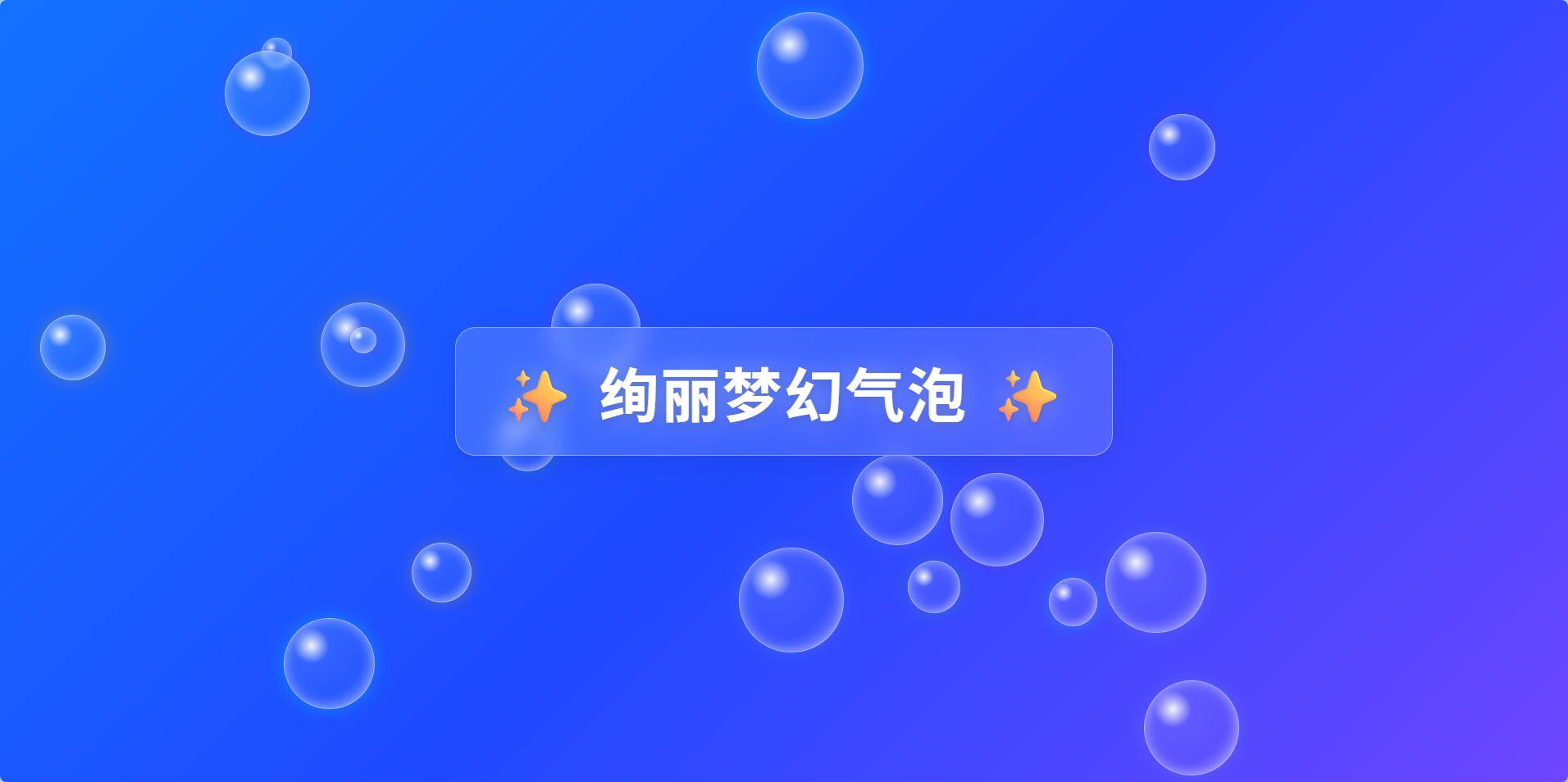
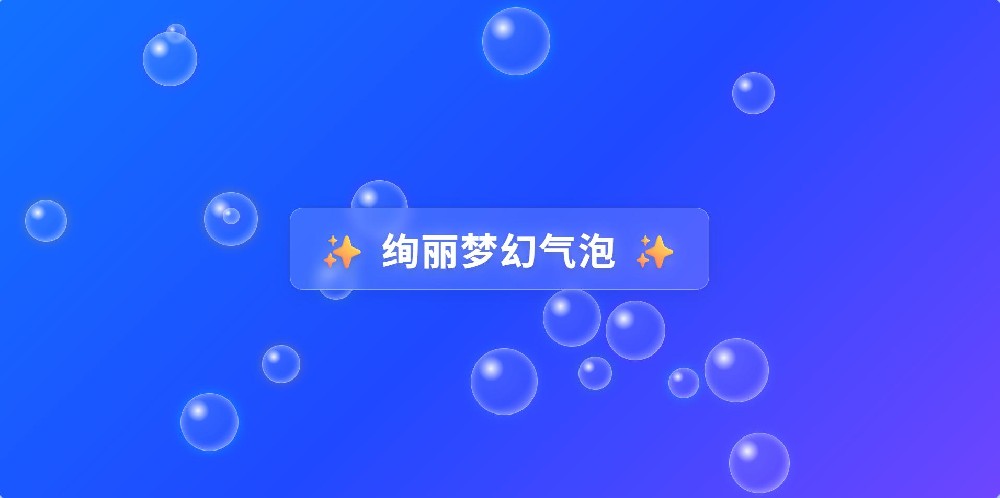
梦幻背景:质感的深色极光渐变,缓慢的背景流动动画,让画面“活”起来。水晶质感气泡:“径向渐变”和“内部高光”的水晶气泡,看起来像真实发光的肥皂泡。绚丽多彩:一组精心挑选的马卡龙色系中随机抽取颜色,并带有柔和的发光效果。丝滑的入场动画:气泡在生成时会有从小变大的弹出效果,更加自然可爱。
梦幻背景:质感的深色极光渐变,缓慢的背景流动动画,让画面“活”起来。
水晶质感气泡:“径向渐变”和“内部高光”的水晶气泡,看起来像真实发光的肥皂泡。
绚丽多彩:一组精心挑选的马卡龙色系中随机抽取颜色,并带有柔和的发光效果。
丝滑的入场动画:气泡在生成时会有从小变大的弹出效果,更加自然可爱。
<!DOCTYPE html>
<html lang="zh-CN">
<head>
<meta charset="UTF-8">
<meta name="viewport" content="width=device-width, initial-scale=1.0">
<title>绚丽梦幻动态气泡源码</title>
<style>
/* 全局样式 */
body {
  font-family: 'Segoe UI', Tahoma, Geneva, Verdana, sans-serif;
  margin: 0;
  padding: 0;
  /* 绚丽糖果极光背景 - 高饱和度渐变 */
  background: linear-gradient(-45deg, #ea40ff, #1f49ff, #00adff, #0043ff, #c200ff);
  background-size: 500% 500%;
  animation: gradientBG 12s ease infinite;
  display: flex;
  justify-content: center;
  align-items: center;
  min-height: 100vh;
  overflow: hidden;
  color: white;
}

/* 背景流动动画 */
@keyframes gradientBG {
  0% { background-position: 0% 50%; }
  50% { background-position: 100% 50%; }
  100% { background-position: 0% 50%; }
}

/* 气泡容器样式 */
.bubbles-container {
  position: fixed;
  top: 0;
  left: 0;
  width: 100%;
  height: 100%;
  z-index: 0;
  pointer-events: none; /* 鼠标事件穿透 */
}

/* 单个气泡样式 */
.bubble {
  position: absolute;
  border-radius: 50%;
  /* 更加通透的水晶质感 */
  background: radial-gradient(
  circle at 30% 30%,
  rgba(255, 255, 255, 0.95),
  rgba(255, 255, 255, 0.1) 20%,
  rgba(255, 255, 255, 0.05) 60%,
  rgba(255, 255, 255, 0.3));
  box-shadow: inset 0 0 15px rgba(255, 255, 255, 0.6), 0 0 20px rgba(255, 255, 255, 0.4);
  backdrop-filter: blur(3px);
  border: 1px solid rgba(255, 255, 255, 0.5);
  transition: transform 0.3s ease, box-shadow 0.3s ease;
  animation: popIn 0.6s cubic-bezier(0.175, 0.885, 0.32, 1.275) forwards;
}

/* 气泡悬停效果 */
.bubble:hover {
  transform: scale(1.4) !important;
  box-shadow: inset 0 0 25px rgba(255, 255, 255, 0.9), 0 0 40px rgba(255, 255, 255, 0.8);
  cursor: pointer;
  z-index: 10;
  border-color: #fff;
}

/* 弹出动画关键帧 */
@keyframes popIn {
  from { transform: scale(0); opacity: 0; }
  to { transform: scale(1); opacity: 1; }
}

/* 标题样式 */
h1 {
  position: relative;
  z-index: 1;
  color: #fff;
  text-align: center;
  font-size: clamp(2.5rem, 6vw, 4.5rem);
  font-weight: 600;
  letter-spacing: 3px;
  /* 增强文字阴影,确保在绚丽背景下清晰可见 */
  text-shadow: 0 4px 15px rgba(0, 0, 0, 0.2), 0 0 30px rgba(255, 255, 255, 0.4);
  margin: 0;
  padding: 25px 50px;
  /* 毛玻璃卡片效果 */
  background: rgba(255, 255, 255, 0.15);
  backdrop-filter: blur(12px);
  -webkit-backdrop-filter: blur(12px);
  border-radius: 25px;
  border: 1px solid rgba(255, 255, 255, 0.4);
  box-shadow: 0 8px 32px rgba(31, 38, 135, 0.15);
}
</style>
</head>
<body>
<div class="bubbles-container" id="bubblesContainer"></div>
<h1>✨ 绚丽梦幻动态气泡源码 ✨</h1>

<script>
// 气泡配置
const BUBBLE_COUNT = 18; // 稍微增加数量
// 绚丽多彩的马卡龙色系(提高透明度以配合明亮背景)
const COLORS = [
  'rgba(255, 105, 180, 0.3)', // 亮粉色
  'rgba(100, 149, 237, 0.3)', // 矢车菊蓝
  'rgba(60, 179, 113, 0.3)',  // 春绿色
  'rgba(255, 165, 0, 0.3)',   // 橙色
  'rgba(138, 43, 226, 0.3)',  // 蓝紫色
  'rgba(0, 255, 255, 0.3)'    // 青色
];

// 创建气泡
function createBubbles() {
    const container = document.getElementById('bubblesContainer');
    container.innerHTML = '';

    for (let i = 0; i < BUBBLE_COUNT; i++) {
        const bubble = document.createElement('div');
        bubble.className = 'bubble';

        // 随机大小 (30px 到 130px)
        const size = Math.random() * 100 + 30;
        bubble.style.width = `${size}px`;
        bubble.style.height = `${size}px`;

        // 随机位置
        const left = Math.random() * 100;
        const top = Math.random() * 100;
        bubble.style.left = `${left}%`;
        bubble.style.top = `${top}%`;

        // 随机赋予一个底色光晕
        const color = COLORS[Math.floor(Math.random() * COLORS.length)];
        bubble.style.boxShadow = `inset 0 0 15px rgba(255,255,255,0.5), 0 0 20px ${color}`;

        // 随机动画延迟和持续时间
        const delay = Math.random() * 5;
        const duration = Math.random() * 10 + 15;
        bubble.style.animationDelay = `${delay}s`;

        // 添加自定义数据属性
        bubble.dataset.directionX = Math.random() > 0.5 ? 1 : -1;
        bubble.dataset.directionY = Math.random() > 0.5 ? 1 : -1;
        bubble.dataset.speed = Math.random() * 0.3 + 0.1;

        container.appendChild(bubble);
    }
    animateBubbles();
}

// 气泡随机游动动画
function animateBubbles() {
    const bubbles = document.querySelectorAll('.bubble');
    const container = document.getElementById('bubblesContainer');
    const containerRect = container.getBoundingClientRect();

    function updateBubblePosition(bubble) {
        const rect = bubble.getBoundingClientRect();
        let left = parseFloat(bubble.style.left);
        let top = parseFloat(bubble.style.top);

        // 百分比转像素
        if (bubble.style.left.includes('%')) {
            left = (left / 100) * containerRect.width;
        }
        if (bubble.style.top.includes('%')) {
            top = (top / 100) * containerRect.height;
        }

        const directionX = parseFloat(bubble.dataset.directionX);
        const directionY = parseFloat(bubble.dataset.directionY);
        const speed = parseFloat(bubble.dataset.speed);

        // 更新位置
        left += directionX * speed;
        top += directionY * speed;

        // 边界检测
        if (left <= 0 || left + rect.width >= containerRect.width) {
            bubble.dataset.directionX = -directionX;
        }
        if (top <= 0 || top + rect.height >= containerRect.height) {
            bubble.dataset.directionY = -directionY;
        }

        // 限制范围
        left = Math.max(0, Math.min(left, containerRect.width - rect.width));
        top = Math.max(0, Math.min(top, containerRect.height - rect.height));

        bubble.style.left = `${left}px`;
        bubble.style.top = `${top}px`;
    }

    function animate() {
        bubbles.forEach(bubble => updateBubblePosition(bubble));
        requestAnimationFrame(animate);
    }

    animate();
}

window.addEventListener('DOMContentLoaded', createBubbles);
window.addEventListener('resize', () => {});
</script>
</body>
</html>
💬 评论